01
Customer-specific products and variants
Show each business account its approved garments, sizes, colours and product variants.
GarmentsAccount priceEmployee role
Controlled resultApproved workwear range
B2B Orderly helps workwear suppliers give business customers access to a supplier-branded store, with approved workwear ranges, account pricing, employee allowances and approval rules — without managing every order through emails and spreadsheets.
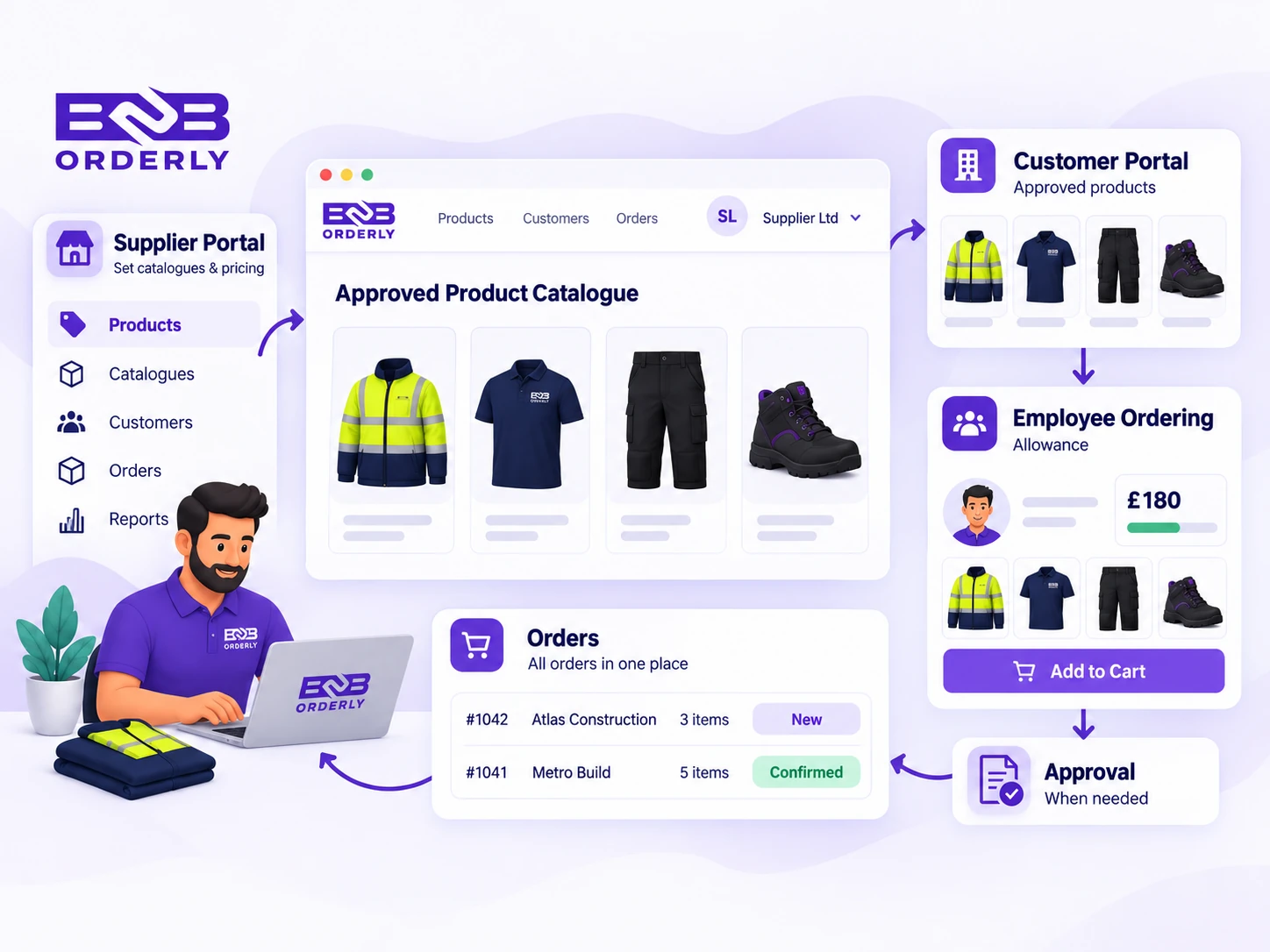
B2B Orderly is workwear ordering and management software for suppliers that sell to business customers. Suppliers can create customer-specific workwear ranges and pricing, control which products and variants employees can access, set allowances and approval rules, and receive orders through a structured B2B ordering workflow.
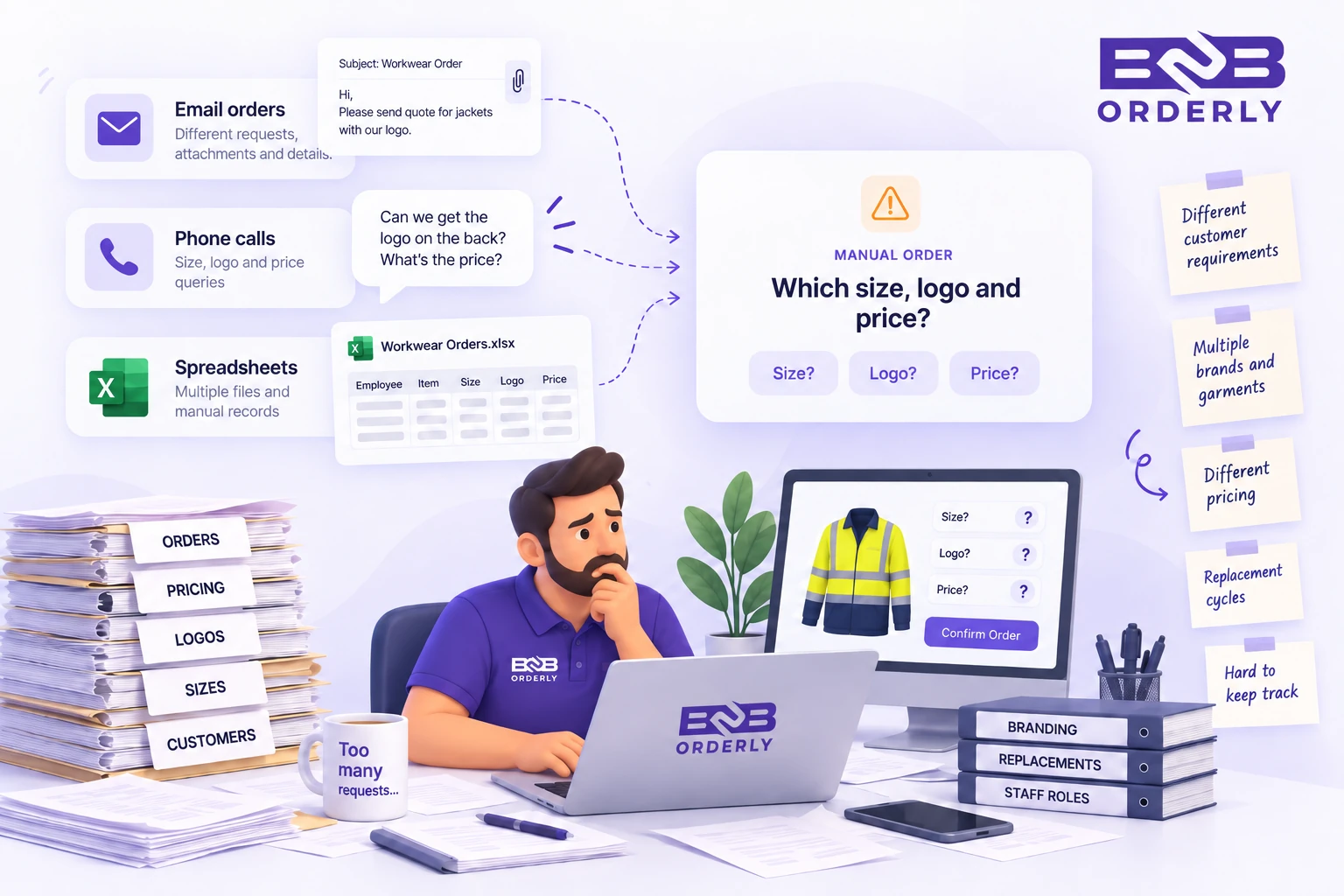
Each business customer can have a different approved workwear range, negotiated pricing and employee ordering process. One customer may need a small set of garments while another has different products for warehouse staff, drivers, supervisors and office teams. Managing those differences through spreadsheets, emails and manual order checks creates unnecessary work.
Maintaining different approved workwear ranges for multiple customers
Managing different pricing agreements across business accounts
Handling sizes, colours and product variants
Processing repeat and replacement orders without recreating the order manually
Configure a different catalogue experience for each business customer within your supplier-branded store. Choose which garments, sizes, colours and product variants are available, then apply the pricing agreed for that account.
Show each business account its approved garments, sizes, colours and product variants.
Apply the pricing agreed for each customer so employees and authorised users see the right account pricing when they order.
Assign employees to roles or groups so warehouse staff, drivers, supervisors and office teams can see the workwear that applies to them.
Use employee allowances and approval rules where the customer requires additional control before fulfilment.
Apply the pricing agreed for each business customer so employees and authorised users see the correct account pricing when they order.
Explore customer-specific B2B pricingDifferent roles can require different garments. Assign employees to the appropriate role or group so they see the workwear and ordering rules that apply to them.
Example: Warehouse staff may have one approved range while drivers, supervisors or office staff have access to different items.
Employees can sign in, see the workwear available to them and place their own orders without browsing the supplier's full catalogue.
Explore employee self-service orderingSet spending or entitlement limits so employees understand what they can order and customer administrators can keep workwear spending within agreed rules.
See how employee allowances workAuthorised customer administrators can manage employees and oversee relevant ordering activity without asking the supplier to handle every routine change.
Keep product and variant availability connected to the ordering experience, so repeat and replacement orders arrive as structured supplier orders.
Assign the workwear products, variants and pricing available to the business customer.
Assign employees to the roles or groups that determine what they can order.
Use allowances and approvals where the customer requires them.
Employees place orders from the approved range and the supplier receives a structured order.
Order readyYes. Suppliers can control which products and variants are available to each business customer, allowing different accounts to have their own approved workwear ranges.
Yes. Employees can be assigned to roles or groups that determine which products and ordering rules apply to them.
Yes. Account-specific pricing can be applied so each business customer sees the pricing assigned to their account.
Yes. Employees can sign in and order from the products available under their customer's rules rather than browsing the supplier's entire catalogue.
Yes. Allowances can control employee spending or entitlement, with approval rules available where additional review is required.
Yes. Orders can follow approval rules when additional review is required, while eligible orders can continue through the normal ordering workflow.
Yes. Suppliers can control the approved products and variants available to each business customer and employee group.
Request a guided 14-day trial focused on your customer-specific workwear ranges, account pricing, employee allowances, approvals and ordering workflow.