CUSTOMER-SPECIFIC PRICING

Customer-Specific B2B Pricing Software

Give each business customer the pricing agreed for their account. Customers use the same supplier-branded store, while B2B Orderly displays the products and pricing configured for their business when they order.

Customer-specific pricing workflow for business customers
A clear definition

Customer-specific pricing for suppliers selling to business accounts

B2B Orderly is customer-specific pricing software for suppliers selling to business accounts. It allows suppliers to configure pricing for individual customers and connect those prices to the customer's ordering experience.

The B2B pricing problem

B2B pricing gets complicated when every customer has a different agreement

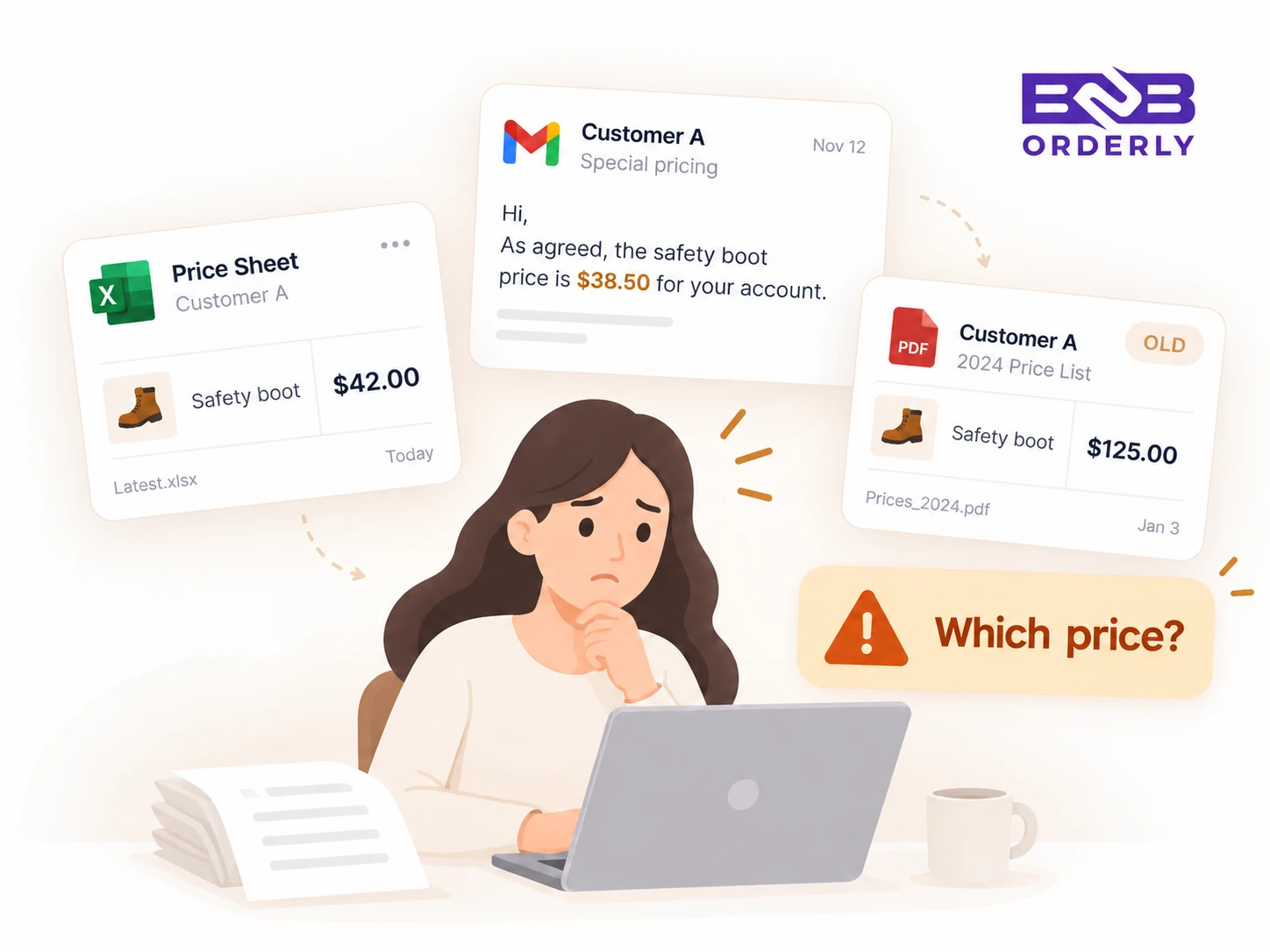
Business customers rarely buy under identical commercial terms. One account may have standard pricing, another negotiated rates, and another a special price for selected products. When those prices live in spreadsheets, PDFs or email threads, staff have to check them manually every time an order is placed.

01

Different customers receive different prices

02

Negotiated pricing is stored outside the ordering system

03

Old price sheets remain in circulation

04

Staff manually verify prices before confirming orders

05

Customers may not know which price applies to them

06

Account pricing becomes harder to maintain as customer numbers grow
Account pricing in the ordering workflow

Show each business customer the pricing assigned to their account

Connect each customer’s approved range and negotiated pricing directly to checkout and fulfilment.

01

Different prices for different accounts

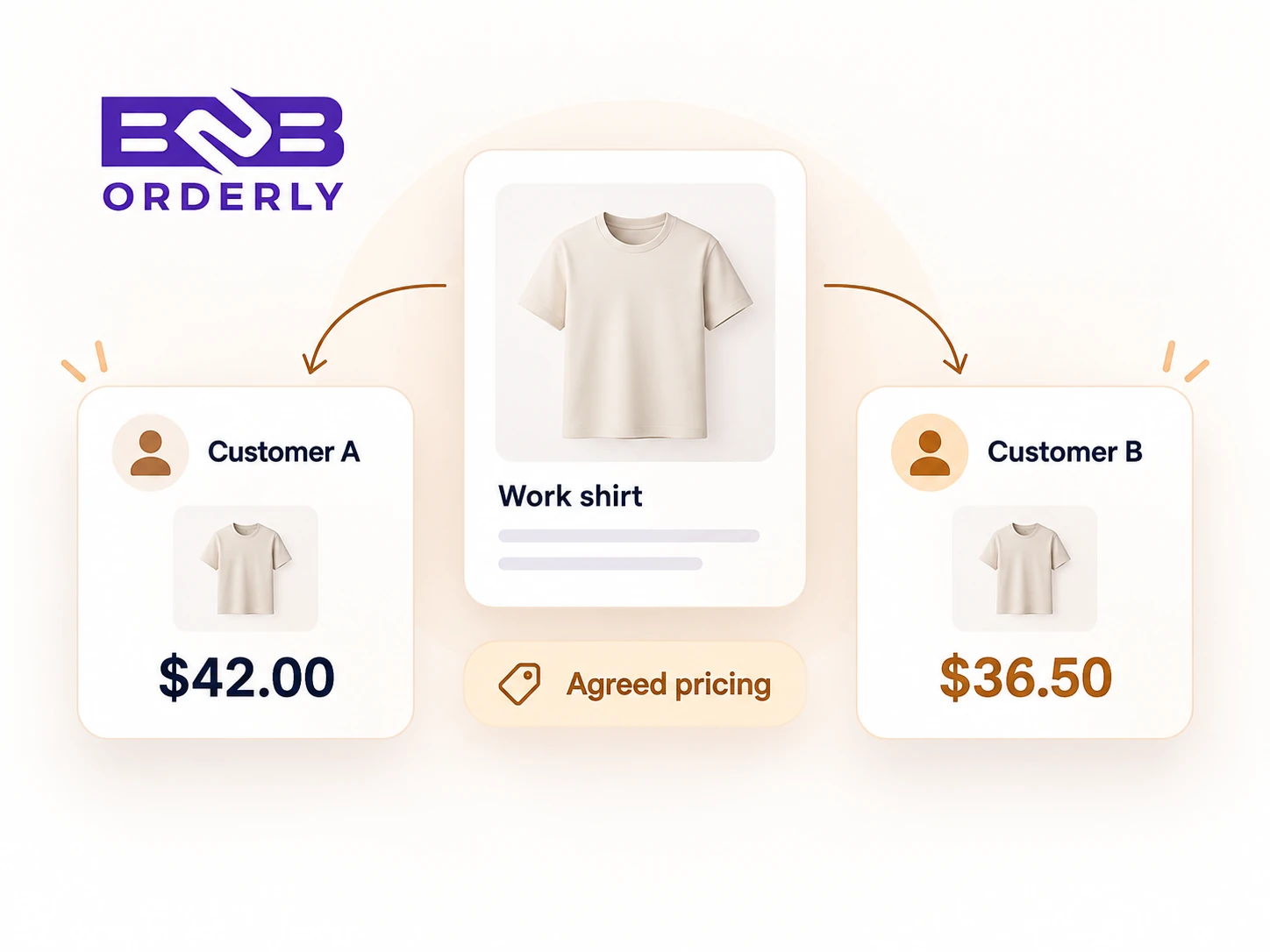
Customer A can have a different agreed price from Customer B for the same product, based on the pricing configured for each business account.

CustomerProduct rangeAgreed rate
Controlled resultCorrect account price
02

Pricing connected to product access

Keep customer-specific pricing connected to the products and variants that each business account is allowed to order.

03

Pricing during ordering

Authenticated customers see the relevant catalogue and account pricing while they select products and submit an order.

04

Central account management

Manage customer connections, approved catalogues and commercial settings from the supplier administration portal instead of separate files.

Keep customer pricing connected to the products they can order

Pricing works best when it is part of the customer's ordering setup. A business account can see the products and variants available to them alongside the pricing assigned to that account.

Reduce the need to check separate customer price lists

Keeping account pricing inside the ordering workflow reduces the need for supplier staff to look up negotiated rates in separate spreadsheets, PDFs or email threads whenever a customer places an order.

Keep pricing separate from employee allowances

Account pricing determines what the business customer pays. Employee allowances control what an individual employee is entitled to spend or order. These settings can work together, but they solve different problems.

Explore employee uniform allowances

Use an account-specific ordering experience

Business customers see the ordering experience configured for them rather than a generic retail-style catalogue with pricing that may not apply to their account.

How the workflow connects

How customer-specific B2B pricing works

  1. 01

    Set up the business customer

    Create or configure the customer account and its commercial relationship.

  2. 02

    Assign products and pricing

    Choose the products and variants available to the account, then apply its agreed pricing.

  3. 03

    Customer orders

    The customer orders through the supplier-branded store with the catalogue and pricing configured for its account.

  4. 04

    Order uses configured pricing

    The submitted order keeps the pricing rules applied to that customer account.

    Order ready
Frequently asked questions

Common questions about customer-specific pricing

What is customer-specific B2B pricing?

Customer-specific B2B pricing allows a supplier to apply agreed pricing to an individual business account rather than showing every customer the same standard price.

Can different customers see different prices for the same product?

Yes. Customer-specific pricing allows the same product to be priced differently for different business accounts based on the pricing configured for each customer.

Can each business customer have its own pricing?

Yes. Suppliers can configure agreed account pricing and connect it to the ordering experience for each managed business customer.

Can customer-specific pricing work with customer-specific catalogues?

Yes. Product availability and customer pricing work together so an account sees the relevant products, variants and commercial terms.

Can pricing differ by product or variant?

B2B Orderly connects customer pricing with the products and variants available to an account. The exact pricing setup can be configured around the supplier's customer arrangement.

How is customer-specific pricing different from employee allowances?

Customer pricing determines what the business account pays for a product. An employee allowance controls how much or what an individual employee is entitled to order.

Do customers see their account pricing when they order?

Authenticated customers see the ordering experience configured for their business account, including its relevant product access and pricing.

How do suppliers manage contract pricing without spreadsheets?

B2B Orderly keeps customer-specific product access and agreed account prices in the ordering workflow, so suppliers can manage the customer setup centrally instead of relying on separate files.

See how customer-specific pricing works in B2B Orderly

Request a guided 14-day trial focused on how customer catalogues, account pricing and B2B ordering work together for your business customers.